
Editing Prompts
Language Support
Section titled “Language Support”The Prompty extension registers .prompty as a first-class VS Code language.
Opening any .prompty file activates the full language server, giving you
rich editing features out of the box.
Syntax Highlighting
Section titled “Syntax Highlighting”A custom TextMate grammar provides scoped highlighting for every part of a
.prompty file:
- YAML frontmatter — property names, values, and structure between the
---delimiters - Jinja2 template expressions —
{{ variable }}and{% block %}tags inside the markdown body - Role markers —
system:,user:, andassistant:labels that define message boundaries - Variable references —
${env:VAR}and${file:path}expansions in frontmatter values
Validation
Section titled “Validation”The language server validates your file as you type:
- YAML syntax errors — malformed frontmatter is underlined immediately
- Frontmatter schema violations — unknown properties, wrong value types,
and missing required fields are flagged against the AgentSchema
PromptAgentspec - Connection and provider validation — mismatched
provider/connectioncombinations (for example, anazureprovider with a missingendpoint) are reported as warnings
Completions
Section titled “Completions”IntelliSense triggers in both the frontmatter and the body:
| Context | What you get |
|---|---|
| Frontmatter properties | name, description, model, inputSchema, outputSchema, tools, template, metadata |
| Enum values | provider → openai, azure, foundry; apiType → chat, responses, embedding, image |
| Model IDs | Models discovered from configured connections |
| Body variables | {{ … }} references matched against inputSchema properties |
| Snippet blocks | Expand model, inputs, template, tools, metadata into full YAML scaffolds |
Hover over a frontmatter property or a {{ variable }} reference to see:
- Variable types and defaults — the
kind,default, anddescriptionfrom the correspondinginputSchemaproperty - Enum documentation — allowed values for properties like
apiTypeorconnection.kind
Semantic Tokens
Section titled “Semantic Tokens”Semantic highlighting is enabled by default for .prompty files. The language
server decorates tokens beyond what the TextMate grammar provides:
- Delimiters — the
---frontmatter fences - Role labels —
system:,user:,assistant: - Template variables —
{{ name }}expressions - Environment references —
${env:VAR}and${env:VAR:default} - Thread markers —
{{ conversation }}when the input haskind: thread
Document Symbols
Section titled “Document Symbols”The Outline panel (Ctrl+Shift+O) shows a structured view of the file:
- Each frontmatter section (
model,inputSchema,tools, …) appears as a symbol - Each role block (
system:,user:,assistant:) appears as a child symbol
This makes it easy to jump between sections in longer prompts.
Creating a New File
Section titled “Creating a New File”There are three ways to create a .prompty file:
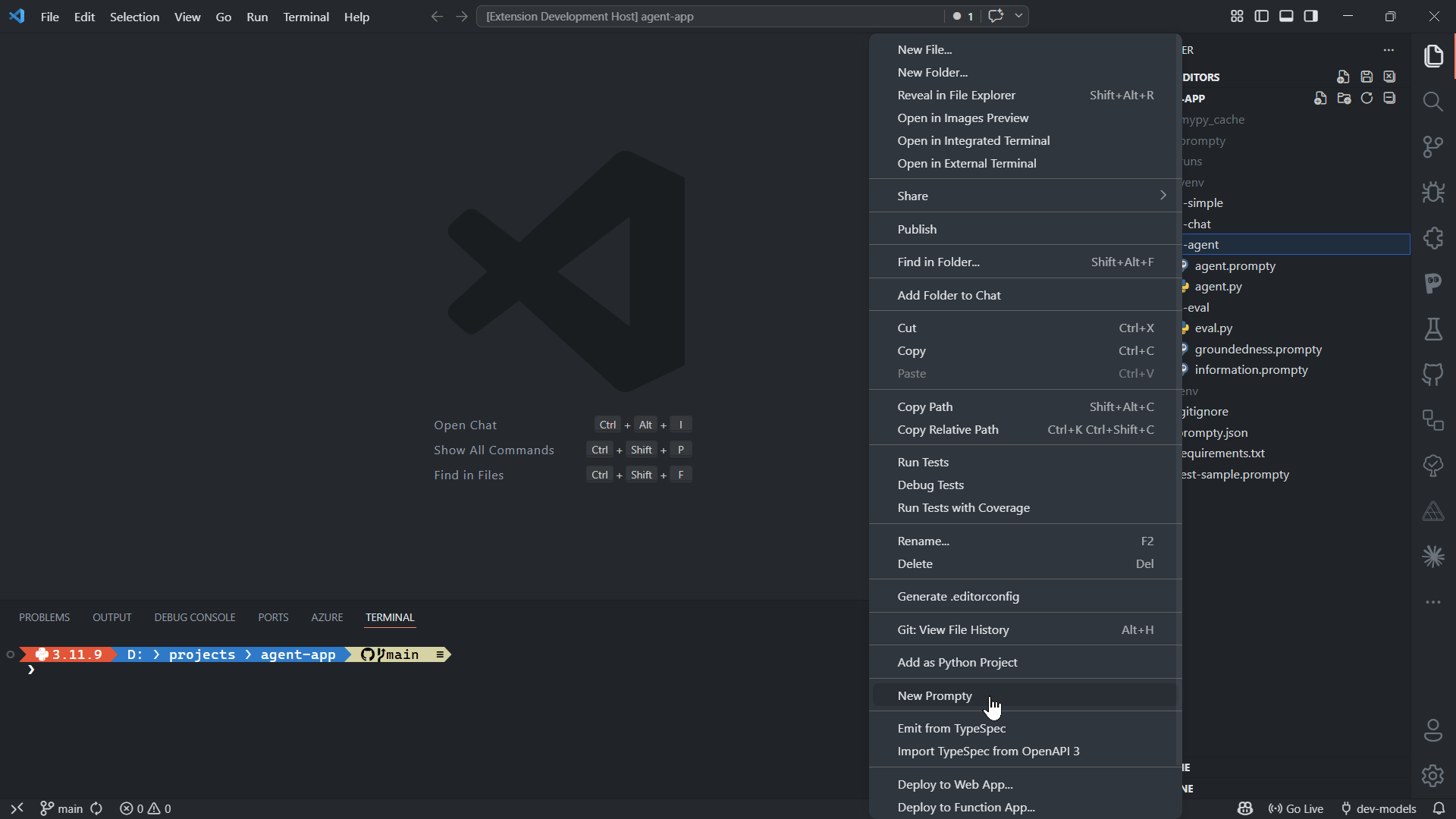
- Command Palette — press
Ctrl+Shift+Pand run Prompty: New Prompty. This creates a file pre-populated with a starter template. - Explorer context menu — right-click a folder in the Explorer sidebar and choose New Prompty. The file is created in that folder.
- Manual — create any file with the
.promptyextension. The language server activates automatically.
File Structure
Section titled “File Structure”Every .prompty file has two parts separated by --- delimiters:
---# YAML frontmatter — agent configurationname: greetingmodel:  id: gpt-4o  provider: openai  apiType: chat  connection:    kind: key    endpoint: ${env:OPENAI_ENDPOINT}    apiKey: ${env:OPENAI_API_KEY}  options:    temperature: 0.7    maxOutputTokens: 256inputSchema:  properties:    firstName:      kind: string      default: Jane    question:      kind: string      default: What is Prompty?template:  format:    kind: jinja2  parser:    kind: prompty---system:You are a friendly assistant helping {{ firstName }}.
user:{{ question }}
The frontmatter declares the model, inputs, tools, and template configuration. The body contains the prompt text with role markers and template expressions.
For a full property reference, see the File Format documentation.